
SimCash.io is an Android app that monetizes the unused SMS allowance on your SIM card. You connect a SIM and set limits, and the service sends OTP and A2P messages through it, paying you per message.
I have used SimCash for at least two years. In that time I earned about €60 and cashed out three times. So this is not a rewrite of their website — it is my numbers, my screenshots and what I learned about the risks. In October 2026 I checked my carrier’s contract and switched my SIMs off. I explain why below.
SimCash is not hands-off passive income. It works and it pays, but your number is visible to recipients, your carrier’s contract may forbid this use of a SIM outright, and you cannot see what the messages say.
What SimCash.io is and how earning works
Many mobile plans leave unused SMS every month, and the app turns that allowance into income. According to the service, the traffic is mostly OTP and A2P messages: verification codes and system notifications.
You are paid for outgoing SMS and, if you enable it, for incoming ones. You set the hourly, daily, weekly and monthly limits yourself.
| Parameter | What it means | Takeaway |
|---|---|---|
| Device | Android 5.1+ only; no iPhone or desktop | You need an Android phone, ideally a spare one |
| SIM cards | Physical SIM, dual SIM and eSIM; several devices per account | Scalable, but not on your main number |
| Message type | OTP / A2P SMS | Your number becomes part of someone else’s infrastructure |
| Income | Depends on country, carrier, price and traffic | No fixed earnings |
| Risk | Recipients see your number; carrier may block the SIM | Avoid using your personal number |
My experience: two years in numbers
I connected Estonian Tele2 and Elisa SIMs plus Ukrainian Kyivstar and lifecell. My busiest SIM sent 3,897 SMS and received 3,145, and most of my income came from it. Limits per SIM: 3 SMS per hour and 50 per day.
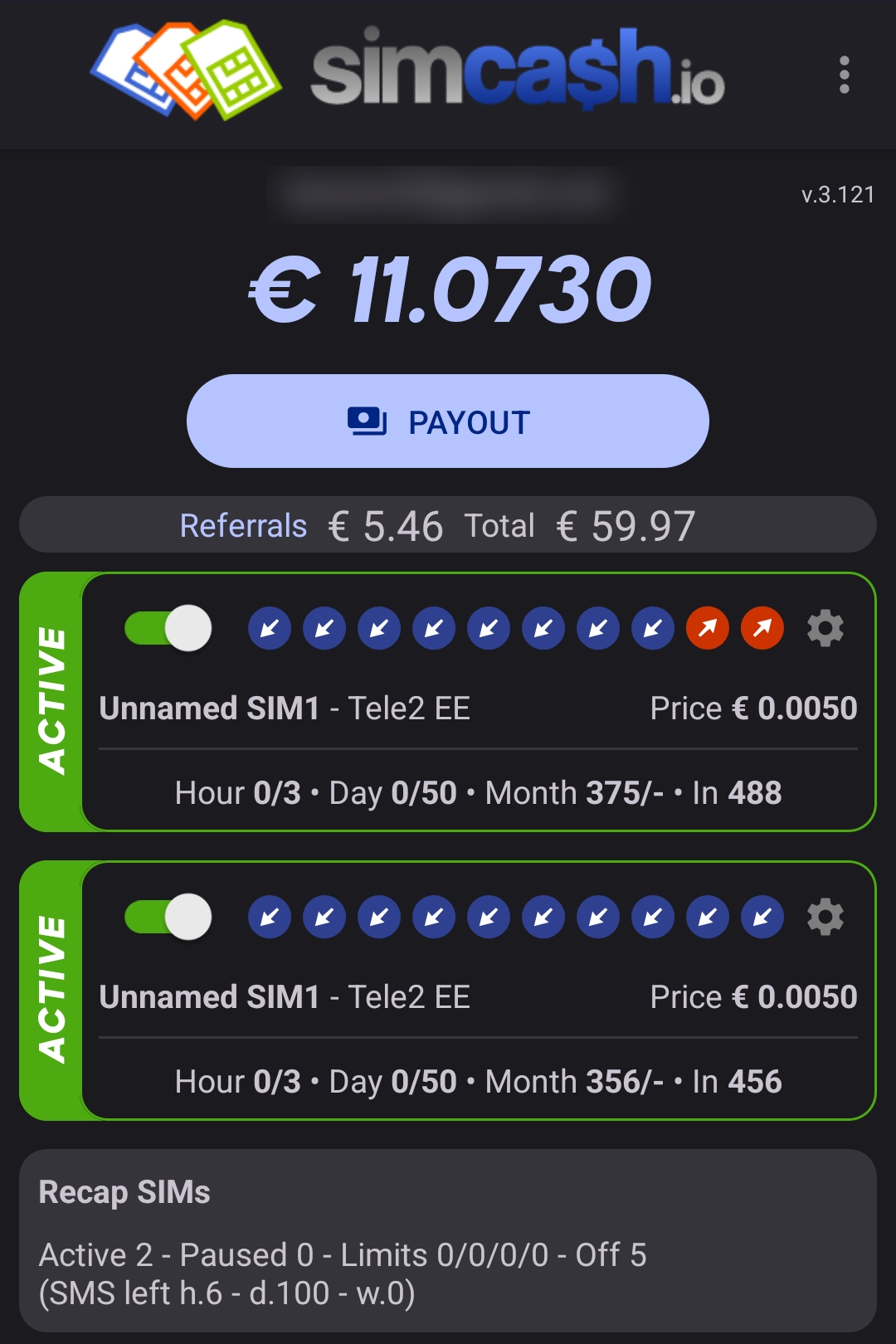
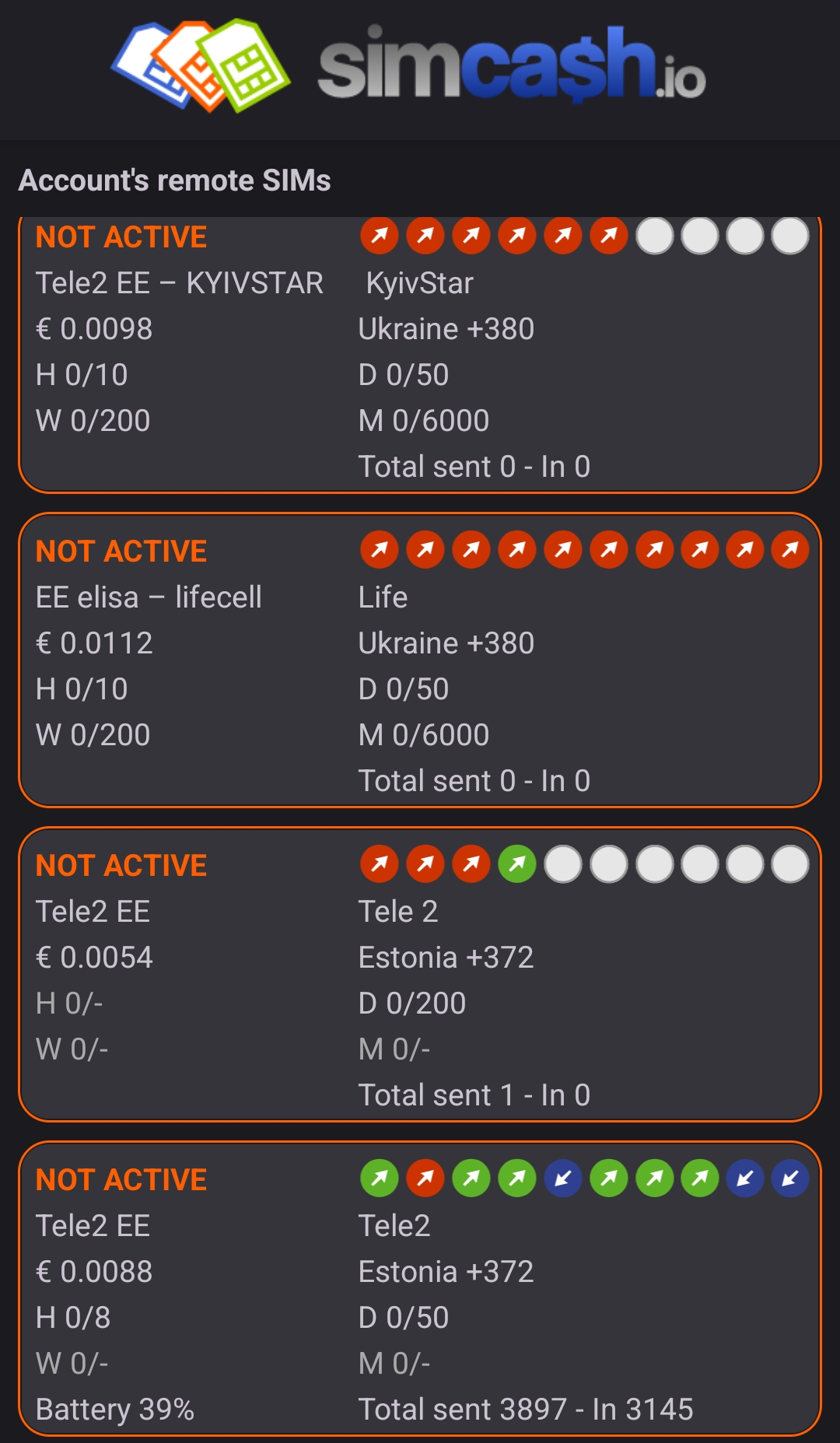
The price per SMS depends heavily on the carrier and country:
| SIM | Price per outgoing SMS |
|---|---|
| lifecell (Ukraine) | €0.0112 |
| Kyivstar (Ukraine) | €0.0098 |
| Tele2 (Estonia), older SIM | €0.0088 |
| Tele2 (Estonia), current SIMs | €0.0050–0.0054 |
| Incoming SMS | €0.001 |
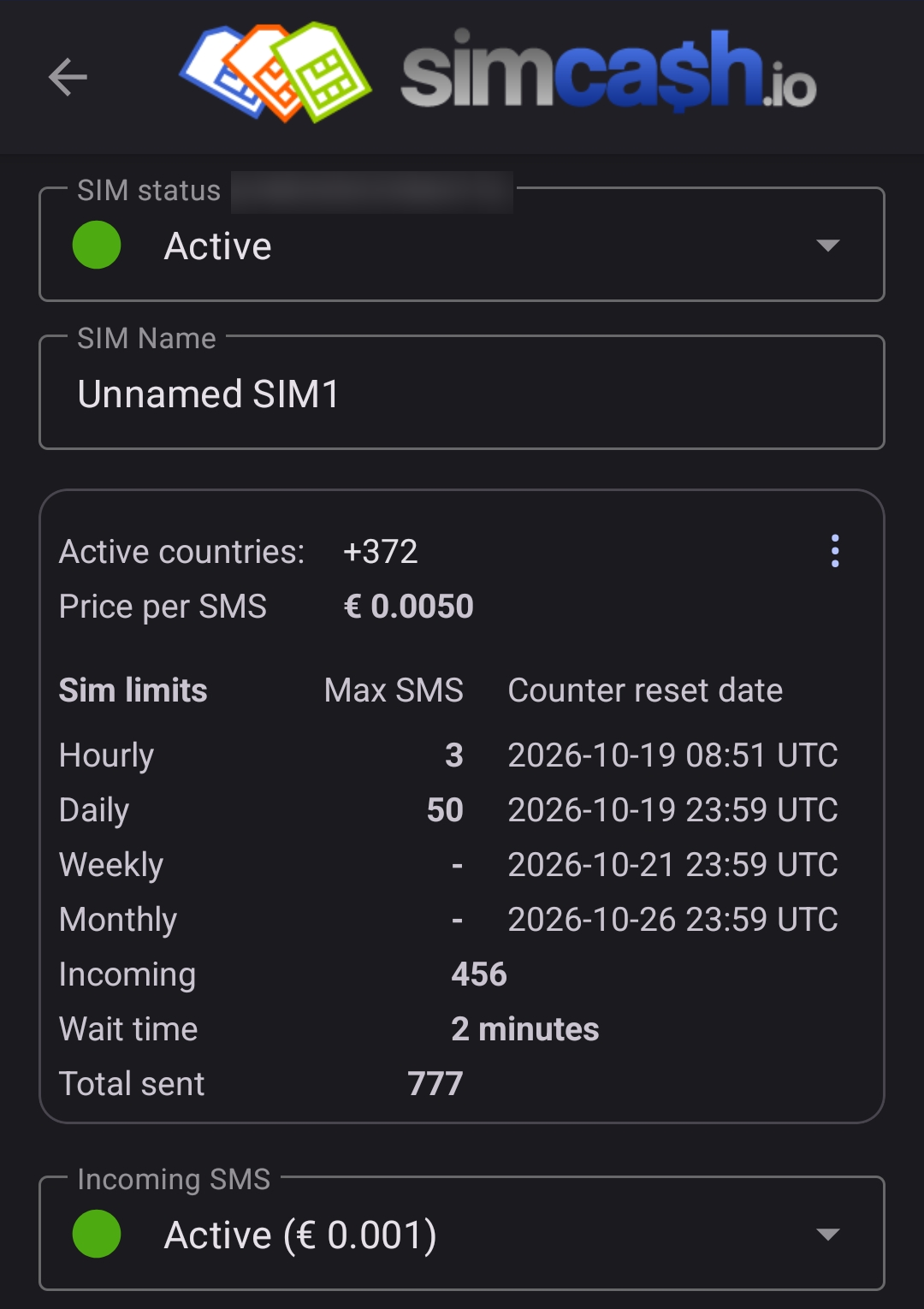
The Ukrainian SIMs are valued almost twice as high, yet they never sent a single message. That is a good thing: in Estonia they are roaming, and each outgoing SMS could have cost me more than SimCash pays.
One downside I noticed: the app has no payout history and no log of sent messages.
What your income depends on
1. Country and carrier
Demand for traffic and the price per SMS differ by country. Identical SIMs can give very different results.
2. Price per SMS
A price set too high means fewer messages. Greedy settings can leave your SIM idle.
3. Your mobile plan
Plans with SMS to all networks work best, not just within one carrier.
4. Roaming
Do not connect a SIM that is roaming: outgoing SMS fees can easily exceed what SimCash pays.
5. Incoming SMS
Receiving messages also pays, if modestly: €0.001 each. It is worth enabling.
6. A stable phone
The app must keep running in the background. On some phones you need to turn off battery optimization for it.
The main risks nobody should hide
1. Your number is visible
The sender number cannot be hidden. Recipients may call or text you back.
2. You cannot see what is sent
The app has no log of message texts. Some Trustpilot reviews describe recipients who found such messages suspicious and called the sender.
3. Your carrier’s contract may forbid it
I checked Tele2 Estonia’s general terms for business customers, which cover my numbers. Their list of prohibited actions bans giving third parties access to a SIM card for commercial use of the network without the carrier’s consent.
For this breach Tele2 sets a penalty of up to €3,200, plus damages and restricted service. SimCash is, by design, exactly that kind of access: a third-party service sends other companies’ commercial SMS through your SIM. That is why I switched my SIMs off.
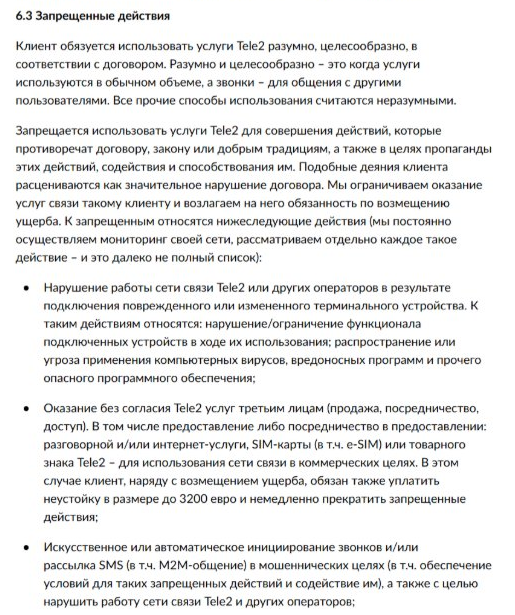
Terms for private plans and other carriers may differ, but similar clauses are common. Even positive reviewers admit running into SIM blocks.
Before connecting a SIM, find the prohibited-use or fair-use section of your carrier’s contract. Look for words like “third parties”, “commercial purposes” and “automated”.
4. No guaranteed income
The service states plainly that fixed earnings are not guaranteed. Treat it as a test, not a financial tool.
5. Not set-and-forget
You still need to watch your SIM, plan, limits, traffic and payouts.
Who SimCash suits — and who it doesn’t
Good fit
- people with a spare SIM and an Android phone;
- people comfortable testing grey-area models calmly;
- people who accept irregular income;
- people who will not risk their main number.
Not the best choice
- anyone who wants fully transparent earnings;
- anyone with only one personal SIM;
- anyone not willing to check plans and roaming fees;
- anyone looking for stable income.
Payouts and withdrawals
The service promises payment within 10 days, but my latest XRP payout went out the same day.
| Method | Notes |
|---|---|
| XRP | Minimum about $4, no fee (my choice) |
| DOGE, KAS | No fee |
| USDC (Solana) | No fee |
| USDT (TRC20) | Fee charged |
| SEPA, EUR only | Minimum €50, fee €7.90 |
| Internal transfer | Between SimCash users |
The best option is fee-free crypto. At the minimum amount the SEPA fee is about 16%, so a bank transfer only makes sense for a larger balance.
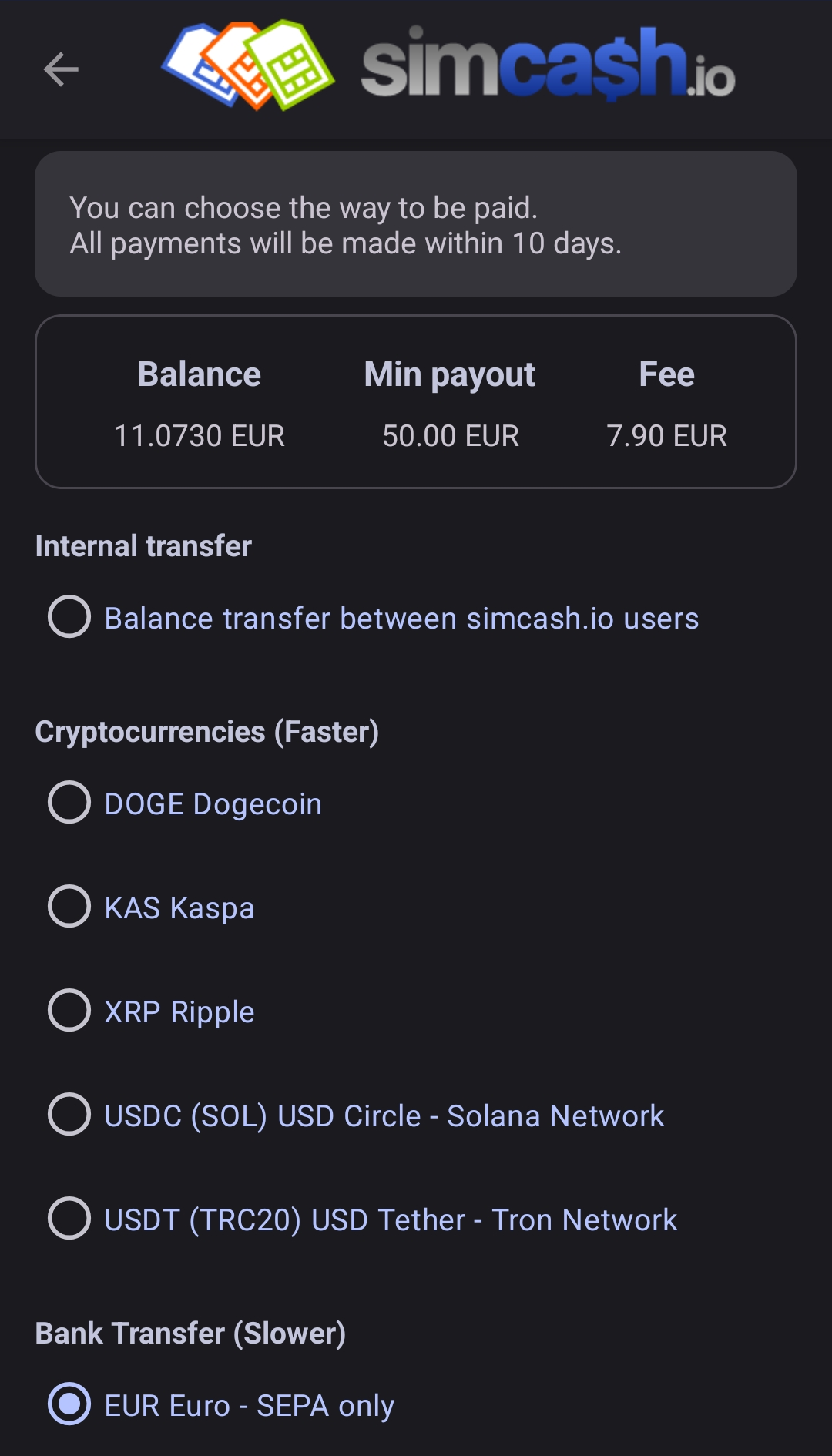
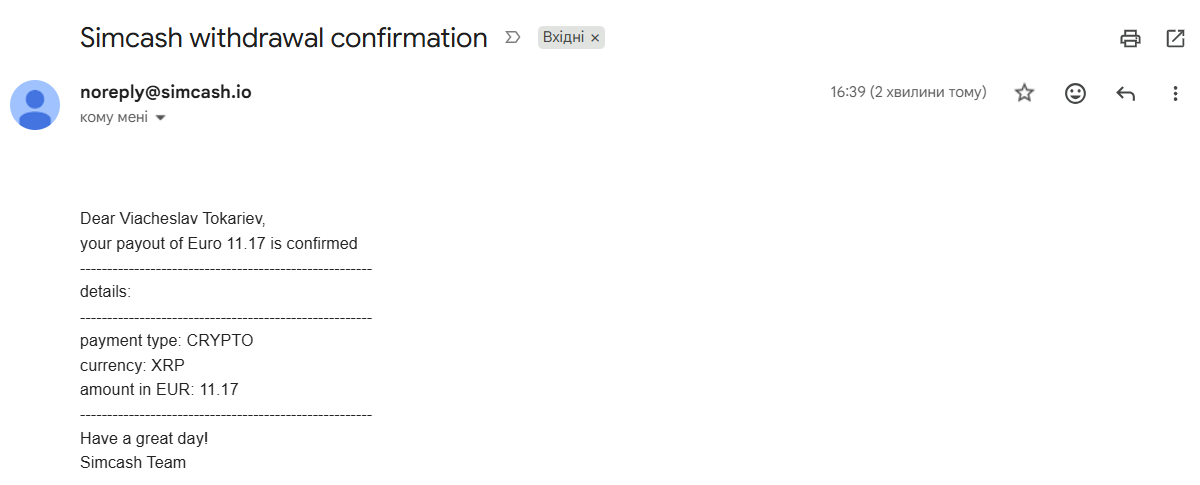
My latest payout: from request to wallet
On October 19, 2026 I withdrew my remaining €11.17 in XRP. Within minutes I got e-mails with the confirmation and transaction ID, and 9.61 XRP arrived in my FaucetPay wallet.
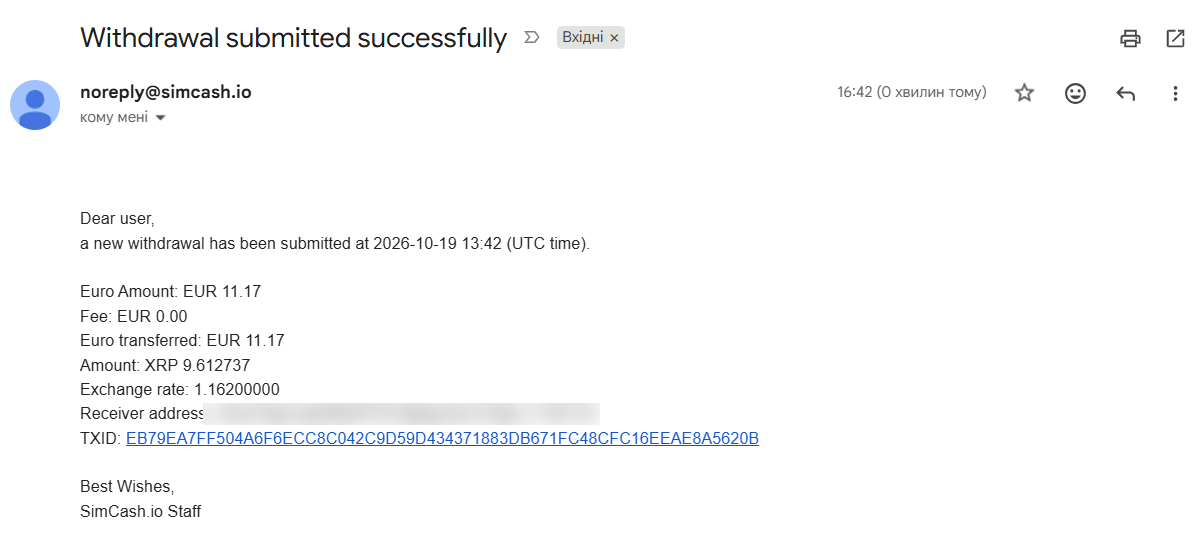
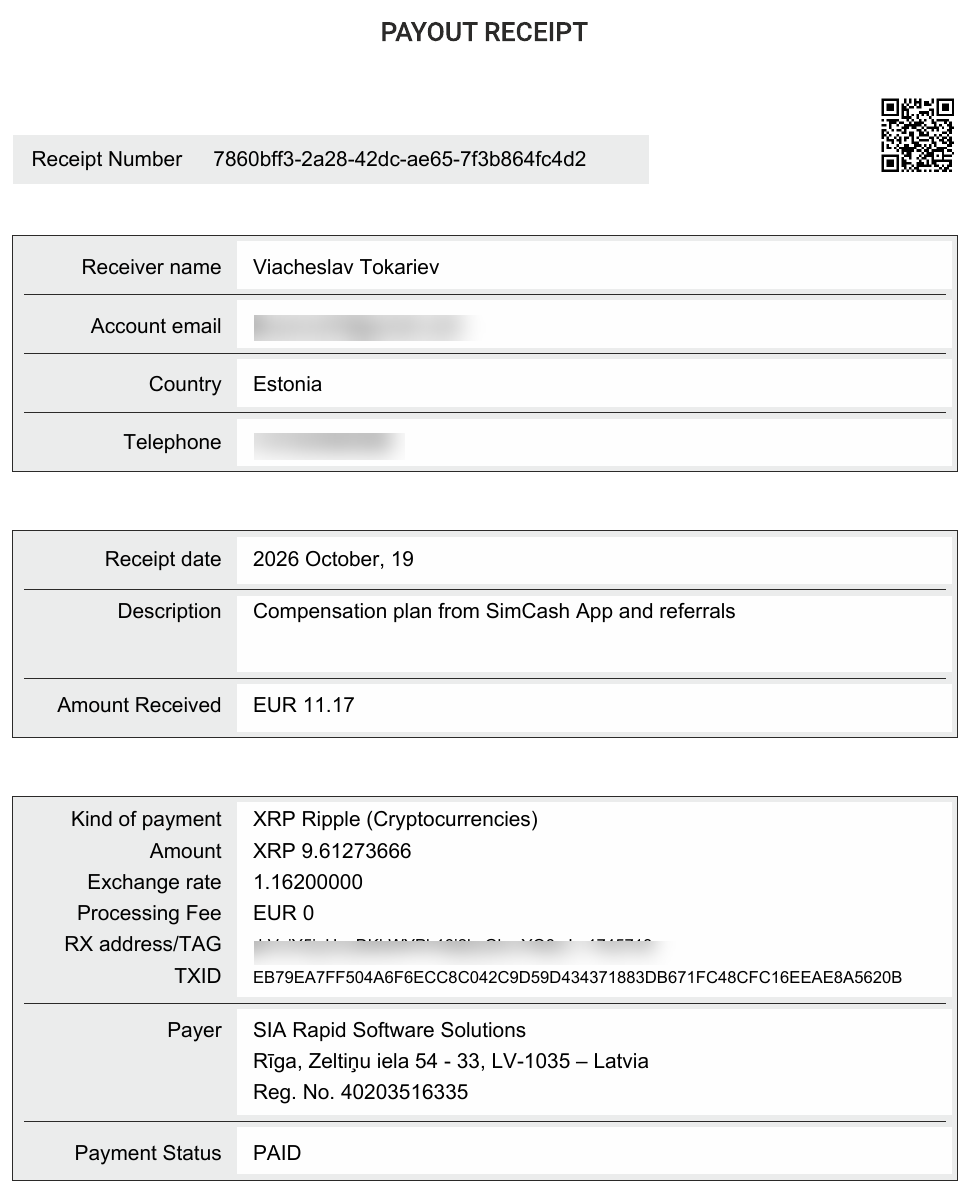
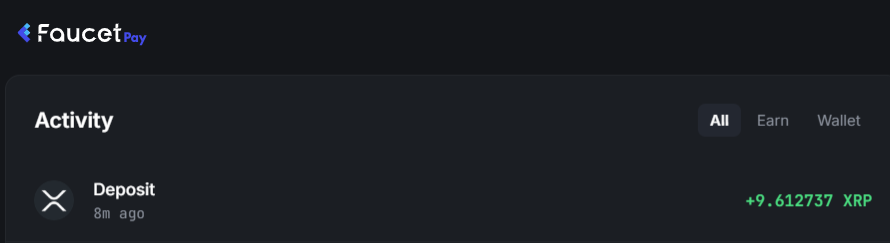
The payer on the receipt is a Latvian company, SIA Rapid Software Solutions. With the transaction ID you can verify the payout on the blockchain.
Referral programme
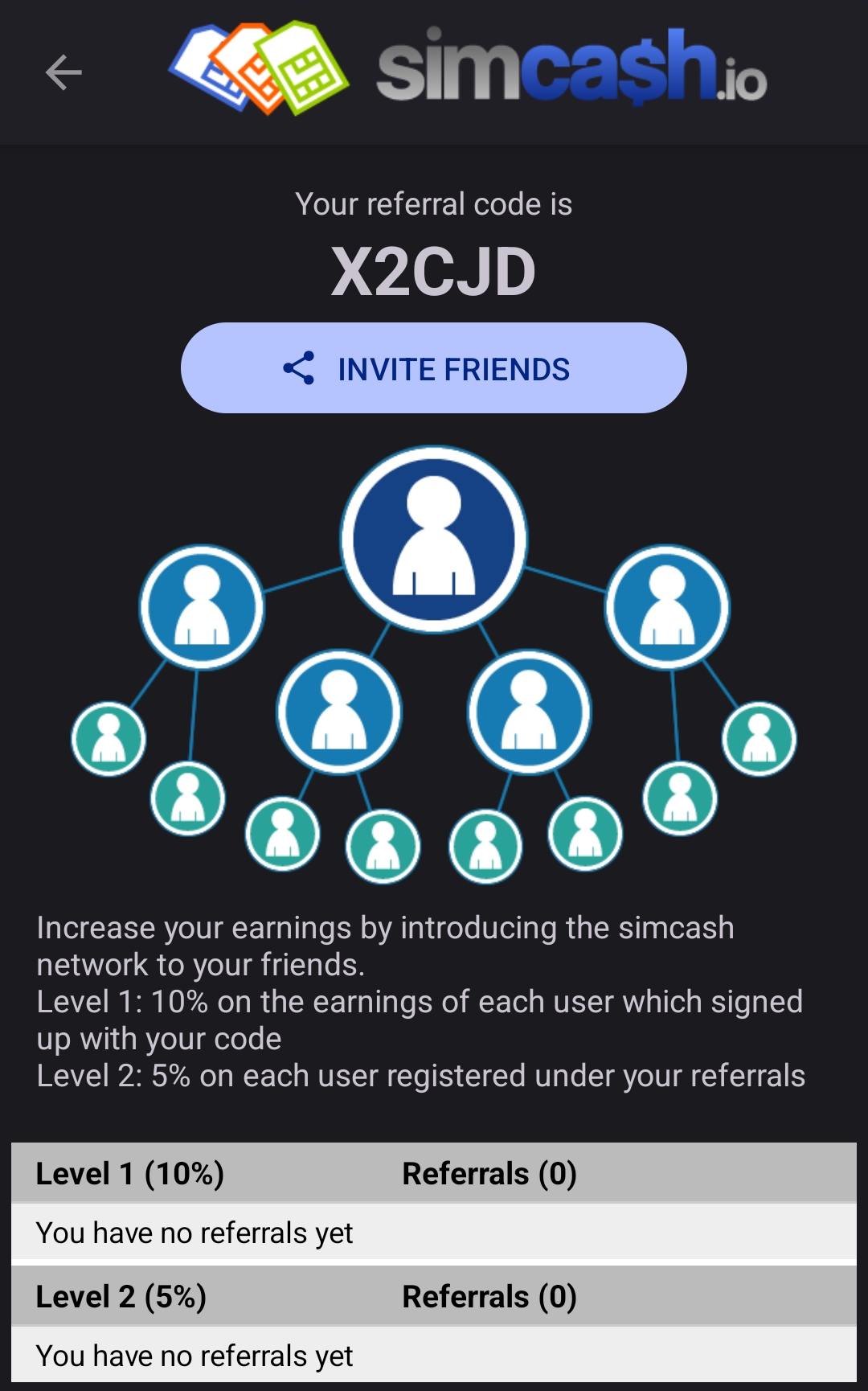
SimCash pays 10% of the earnings of users you invite and 5% of the earnings of users they invite.
Pros
- it really pays: I have had three successful payouts;
- an unusual way to monetize an SMS allowance;
- dual SIM, eSIM and multiple devices per account;
- incoming SMS are paid too;
- fee-free crypto payouts, from $4 in XRP.
Cons
- your carrier’s contract may forbid this use of a SIM, with penalties;
- Android only;
- your sender number is visible;
- no SMS log or payout history in the app;
- high SEPA fee;
- irregular income.
How to test SimCash with a cool head
- Read your carrier’s contract. If giving third parties commercial access to your SIM is prohibited, do not connect it.
- Do not start with your main SIM. Get a separate cheap card.
- Check your plan: SMS to all networks, no roaming.
- Set a moderate price and low limits at first.
- Enable paid incoming SMS.
- Reach your first crypto payout before you scale up.
Want to try SimCash.io yourself?
If you still want to try after all these warnings, check your carrier’s contract first. If it does not forbid this use, test on a separate SIM and decide for yourself. My screenshots show the payouts are real.
Invite code: X2CJD
SimCash.io FAQ
Can I use my main personal SIM?
Technically yes, but it is a bad idea. Use a separate SIM.
Does my carrier allow this use of a SIM?
Often not. Tele2 Estonia’s business terms prohibit giving third parties commercial access to a SIM, with a penalty of up to €3,200. Check your own carrier’s terms before connecting.
Will recipients see my number?
Yes, the sender number cannot be hidden.
Does SimCash work on iPhone?
No, Android 5.1 and later only.
Can I use an eSIM?
Yes, if your phone detects it correctly.
Can I connect a SIM that is roaming?
Better not: outgoing SMS while roaming can cost more than the service pays.
What is the cheapest way to withdraw?
In fee-free crypto, for example XRP: minimum about $4. SEPA charges €7.90 with a €50 minimum.
Is income guaranteed?
No, the service warns about this directly.
Conclusion
SimCash.io works and pays: over two years I earned about €60 and cashed out three times. But it is a small side income, not passive income you can count on.
Recipients see your number, you cannot see the message texts, and your carrier’s contract may forbid this use outright. In my case the possible penalty is dozens of times more than everything I earned, so I switched my SIMs off. For most users the risk outweighs the income. If you do try it, check your contract first, use a separate SIM and never a roaming one.